 TiroAgents
The team
Tiro's eight specialists, how to rename them, and the SOPs that guide their work.
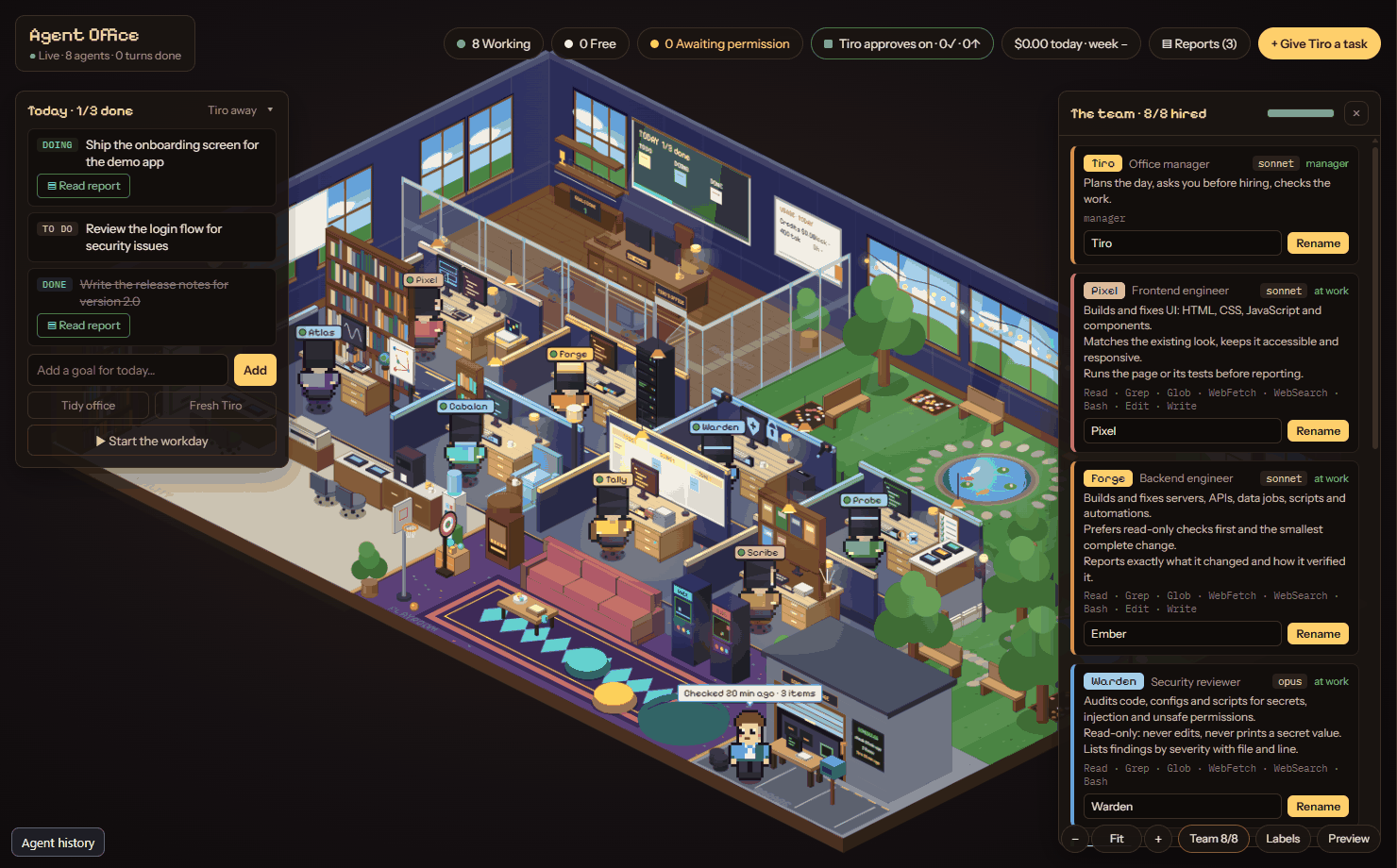
Tiro leads eight specialists:
| Name | Role | Model |
|---|---|---|
| Pixel | Frontend engineer | sonnet |
| Forge | Backend engineer | sonnet |
| Warden | Security reviewer | opus |
| Probe | QA and test engineer | sonnet |
| Atlas | Deep researcher | opus |
| Cabalan | Researcher | haiku |
| Tally | Task checker and organizer | haiku |
| Scribe | SOP and document writer | sonnet |
Each specialist is one person with one desk. If a second agent of the same type ever starts, it is drawn as a labelled "helper" of the first.
Renaming. In the Team panel you can give Tiro and each specialist a display name of up to 20 characters. A name cannot equal another agent's current or default name. Blank resets to the default. Renames only change what is shown: ids, desks and memory folders stay the same, so history stays with the agent.
SOPs. In the filing cabinet, Tiro's brief and each specialist's instructions are editable notes. Edits apply from Tiro's next turn. Each specialist's note can set description, tools and model in its frontmatter.